Diagnostic tool

Solar Inverter Fault Checker

Quick answer

Your inverter has probably failed if the display is blank or showing a red fault light in daylight, the generation meter has stopped counting, or the same error code comes back after a restart. Answer the five questions below to check, then use the brand guide for SMA, SolarEdge, Fronius, Growatt, SolaX and Solis messages.

Answer 5 quick questions to find out whether your solar inverter has likely failed — or if the problem is something else entirely.

Last updated: 1 November 2026

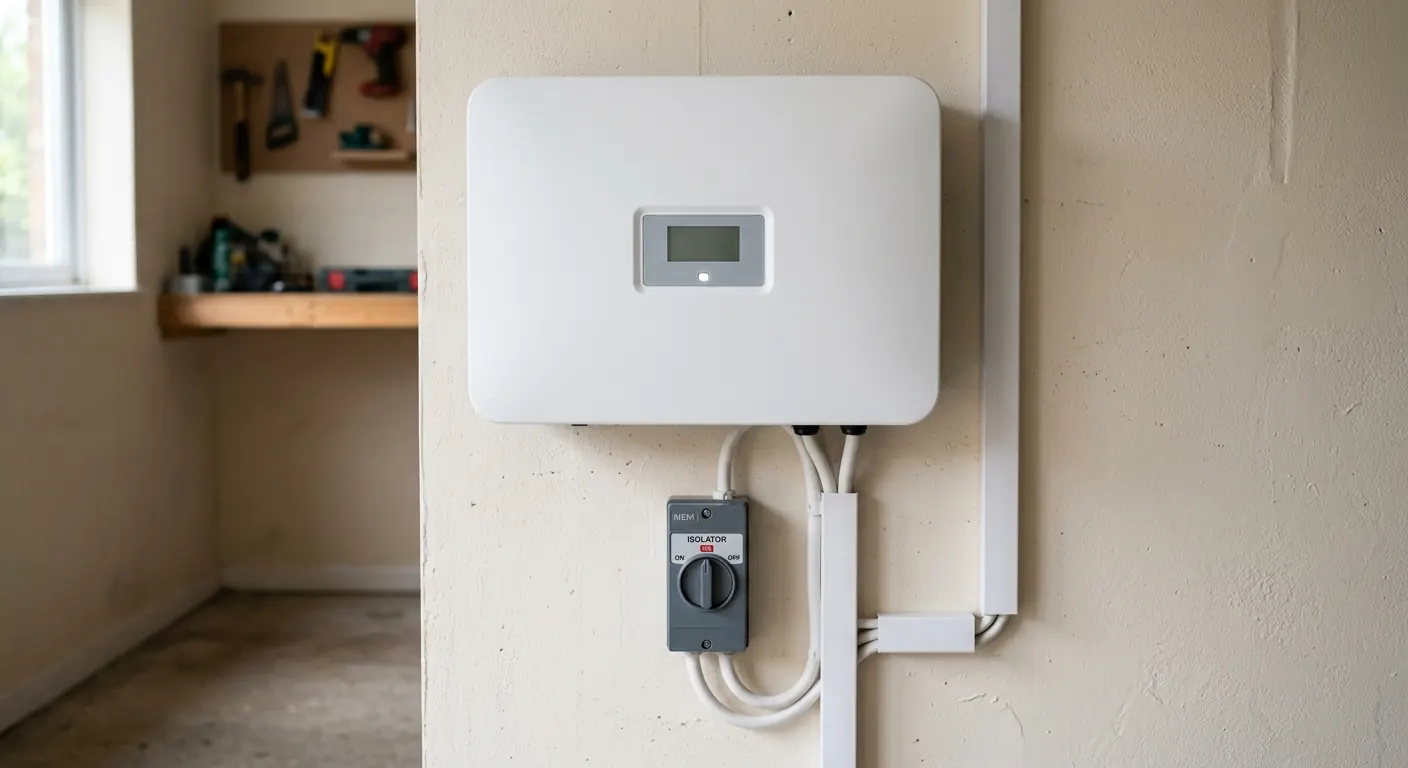
Solar inverter on a garage wall with its display panel and isolator switches visible

What are the key facts?

  • Zero generation in daylight is the clearest sign of inverter failure
  • If your generation meter is still counting, the inverter is likely working
  • We cover SMA, SolarEdge, Fronius, Growatt, SolaX and Solis fault codes
  • We install through MCS-certified partners across all of Scotland
  • Same-week diagnosis available — call 0141 230 0198

Last updated: 1 November 2026

Step 1 of 5

Is the inverter display showing anything at all?

Common Fault Messages by Brand

The wording on screen depends on the model and firmware, so check your manual or the manufacturer's app for the exact meaning. These are the types of message we see most often on Scottish homes, and where to find them. Write down the exact wording, or take a photo, before you call. It makes the diagnosis much quicker.

Short grid-voltage trips are common on sunny spring days, when local solar output pushes the network voltage up, especially on rural lines. Insulation or isolation faults are more common after long wet spells, when moisture gets into roof connectors. If the same message appears every day, the inverter or wiring needs an engineer.

SMA inverter faults

Where to look: Sunny Boy display or LED, Sunny Portal, or the inverter web interface.

  • Insulation resistance / isolation fault
  • Grid fault or grid voltage out of range
  • Red LED lit with no generation

Older Sunny Boy models from the Feed-in Tariff years are a common replacement in Scotland. A red LED that returns every morning after a restart usually needs an engineer.

SolarEdge inverter faults

Where to look: The inverter screen or LEDs, the SetApp or mySolarEdge app, and the monitoring portal.

  • Isolation fault
  • Ground current / RCD trip
  • Optimiser not pairing or reporting 1 V

SolarEdge systems use optimisers behind each panel, so a fault may be on the roof rather than in the inverter. We test both before quoting.

Fronius inverter faults

Where to look: The display on Galvo, Primo and Symo models, or Solar.web.

  • State codes in the 100s usually relate to the grid connection
  • State codes in the 300s–400s point to the inverter itself
  • Repeated restarts during the day

Note the exact state code and how often it appears. A one-off grid code on a bright day is often a network voltage issue, not a failed inverter.

Growatt inverter faults

Where to look: The LCD screen, the ShinePhone app, or the Shine Wi-Fi dongle LEDs.

  • PV isolation low
  • AC voltage out of range
  • No AC connection

Growatt units are common on later installs and on budget replacements. Check that the dongle is online before assuming the inverter has stopped.

SolaX inverter faults

Where to look: The inverter display or the SolaX Cloud app and portal.

  • Inverter offline in the app
  • Battery or BMS communication errors
  • Grid or export limit warnings

Many SolaX "faults" turn out to be a lost Wi-Fi connection or battery settings. We check the system remotely with you before booking a visit.

Solis inverter faults

Where to look: The LCD screen or the SolisCloud app.

  • NO-GRID
  • OV-G-V (grid over-voltage)
  • PV ISO-PRO (insulation fault)

Grid over-voltage trips are more common on rural lines and at the end of long feeders, which is typical in parts of the Highlands and Borders.

Cite or Embed This Tool

Energy advisors, housing associations and solar blogs — you are welcome to link to or embed this checker. Please use the following attribution:

<a href="https://inverterreplacementscotland.co.uk/inverter-fault-checker/">Solar Inverter Fault Checker by Inverter Replacement Scotland</a>

Inverter Fault Questions

How can I tell if my solar inverter has failed?

The clearest sign is zero generation on the inverter display in full daylight, often with a red fault light or error code. If your generation meter is still counting, the inverter is working — the issue is likely the export meter or monitoring system.

What are the most common inverter error codes?

Common errors include earth or isolation faults (often caused by moisture in a panel junction), grid voltage out-of-range, and DC under-voltage. Each brand displays these differently — our fault checker covers SMA, SolarEdge, Fronius, Growatt, SolaX and Solis.

Can I check my inverter myself?

Yes. Start by checking the display for lights and error codes, then note any changes since it last worked. Do not open the inverter casing — it carries high DC voltage. Our fault checker walks you through the safe steps before you call us.

Should I turn my inverter off if it shows a fault?

If the inverter is hot, making a burning smell or clicking rapidly, turn it off at the AC isolator and call us. If it shows a fault light but is otherwise normal, note the error code and use our fault checker — a simple restart may clear it.

Think Your Inverter Has Failed?

Call us for a same-week diagnosis across all of Scotland.